
Guest messages, and a guide that answers for you
Talk to all your guests in one inbox, send the right e-mail at the right time in the guest’s language, and let a guest guide answer the questions they ask most — Wi-Fi, how to get in, parking and house rules.
- One inbox for guest messages: conversations with unread numbers, search by guest, booking or unit, and replies that go the way the booking came in. With Plus, messages from Booking.com and Airbnb bookings arrive in the same inbox.
- E-mails written once per language: the online check-in e-mail and the check-in and check-out instructions, with placeholders such as the guest’s name, door key link, parking link and Wi-Fi that are filled in for every guest.
- Sent automatically at the right time: the online check-in link and its reminders, the check-in instructions after the check-in, the check-out instructions before departure — or by hand from the reservation. A “room ready” message tells the guest when they can come.
- A guest guide that saves questions: rooms and beds, Wi-Fi, how check-in works, entrance and directions, parking, luggage, early check-in and late check-out, house rules. It feeds your messages and is shown to guests in their booking page.
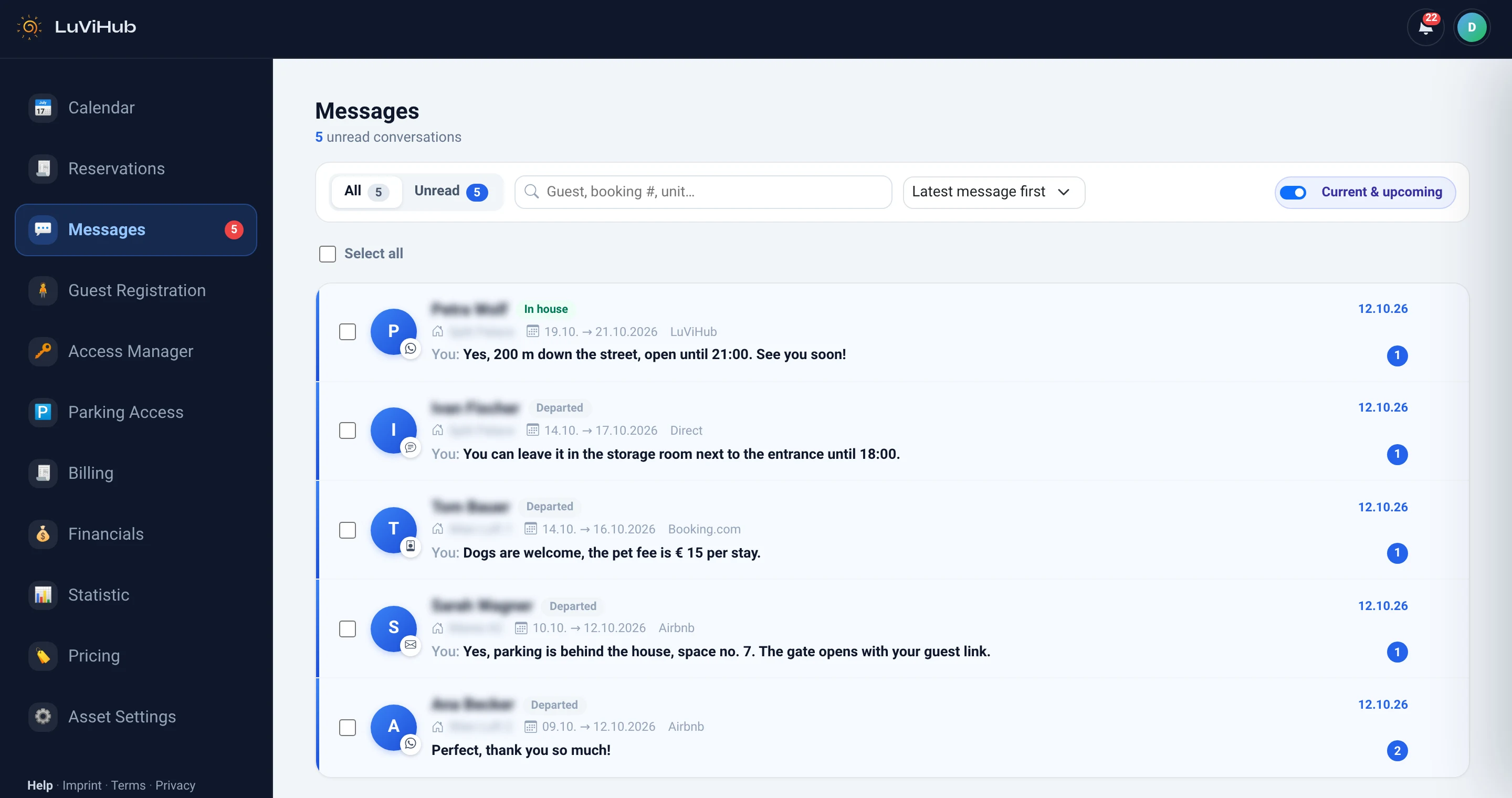
Less typing, fewer questions
Every guest gets the language they chose or booked in, and a bar in the guest guide shows how complete it is and which important answers are still missing. With Plus AI, FOMA answers many guest questions from the same guide. The automated e-mails, the guest guide and the chat with guests of your own booking page are included in every package, even Basic (€4 per unit and month, plus VAT — your first unit is free with Basic).
Questions
Which languages can I write the e-mails in?
You choose the languages for each unit; every guest gets the language they chose or booked in, otherwise your first language. The online check-in form is available in English, German, Italian and Croatian.
What are placeholders?
Details that differ for each guest, such as name, check-in time, door key link or Wi-Fi name. You insert them with one click, and they are filled in when the message is sent.
Can I still reply myself?
Yes. Open a conversation and reply; the reply goes through the channel the booking came from. A message that did not reach the guest is marked, with the reason.
Where do guests see the guide?
On the page of their booking, the page every guest gets for their stay — and your answers also appear in your automatic messages.
Be the first to know when we open
Leave your email on the home page and we will let you know as soon as registration opens.